
Mayer’s Principles Meets the Lightboard Creating Ultimate Learning
The Synergy between Mayer’s Multimedia Principles and the Lightboard
– Learning Design that Works.
Online learning continues to face a persistent challenge—too little engagement, too many slides, too much content, and too little connection. Learners disengage, attention drifts and complex ideas fail to consolidate.
The issue is rarely the subject matter. It’s how learners experience it.
That’s where the Lightboard becomes pedagogically interesting. Few tools allow instructors to apply multiple principles of Mayer’s Cognitive Theory of Multimedia Learning simultaneously and at scale —making complex ideas easier to deliver and absorb.
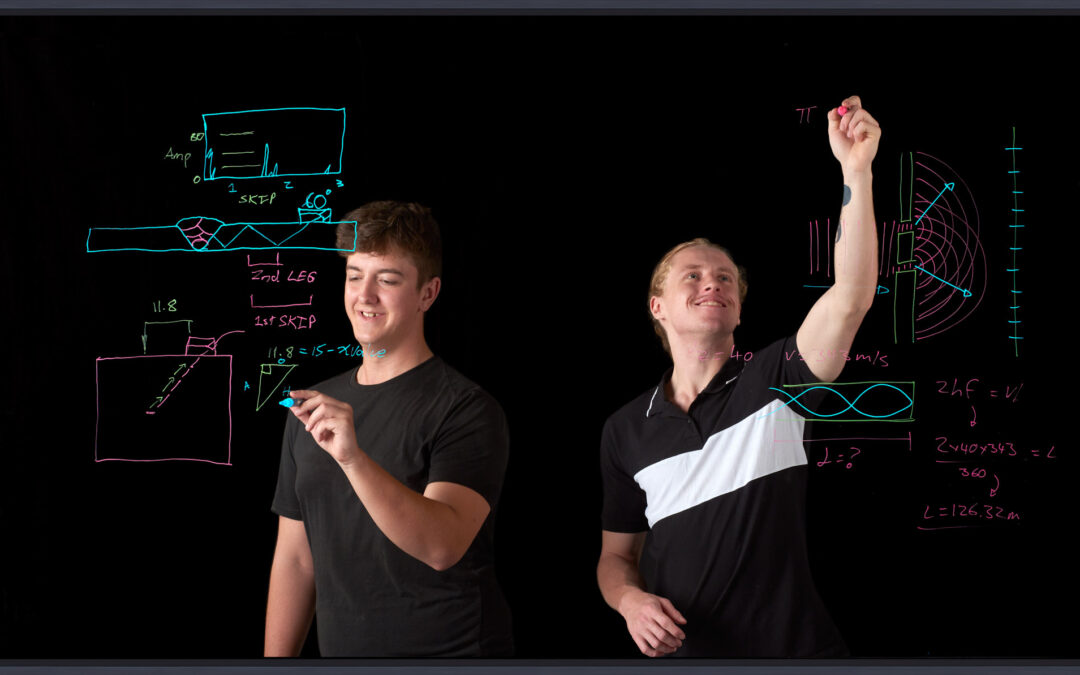
Rather than presenting from behind slides, instructors step into the lesson. They write, draw, annotate and explain concepts in real time, much as they would in a physical teaching space. The result is instruction that feels immediate, visible and easier to follow. Learners don’t just view information— they see thinking unfold.
Even the most intuitive tools benefit from being grounded in established learning science. Mayer’s Cognitive Theory of Multimedia Learning provides that foundation. First introduced in 2001 and expanded in 2014 and 2022, the theory offers an evidence-based framework for structuring multimedia content in ways that reduce unnecessary cognitive load and strengthen retention. Instructional designers internationally rely on them to inform effective digital learning design.
Mayer’s Theory of Multimedia Learning
Developed by Distinguished Professor Richard E. Mayer, of the University of California, in collaboration with researcher Roxana Moreno, the theory examines how learners process visual and auditory information during instruction. Their work synthesised cognitive psychology and teaching practice, translating intuitive classroom strategies into empirically supported design principles.
At its core, the theory rests on three assumptions:
- Humans process information through dual channels (visual and auditory).
- Each channel has limited capacity.
- Learning occurs when learners actively integrate words and images into coherent mental models.
Meta-analytic and experimental research across decades consistently demonstrates that learners understand more deeply from well-integrated words and visuals than from words alone.
This theoretical foundation aligns naturally with the Lightboard. When learners observe an instructor explaining and illustrating concepts simultaneously, both channels are engaged in a coordinated way. Attention is directed rather than divided. Complex ideas are constructed incrementally in real time.
When applied intentionally, each diagram, gesture, and spoken explanation works together to support working memory and strengthen conceptual understanding.
Ultimately, Mayer’s research redirected instructional design away from technology for technology’s sake and toward learner-centred design grounded in cognitive architecture. When combined with Lightboard delivery, it offers instructional designers a research-informed approach to learning that is both engaging and effective.
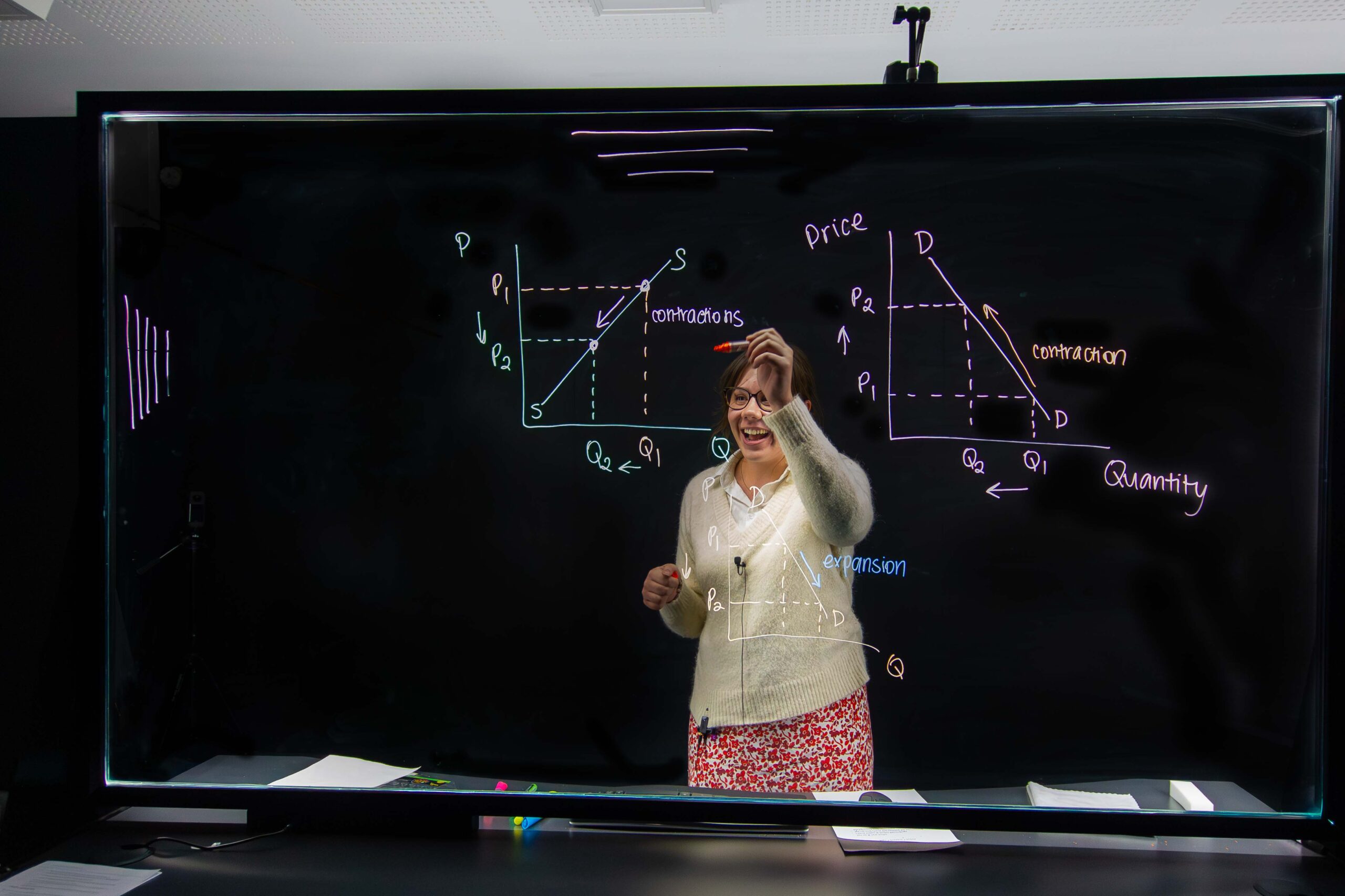

The lightboard makes it possible to apply almost all of the principles of multimedia learning established by R.E. Mayer, in particular signalling, modality and simultaneous presentation – which can be achieved very easily and intuitively.
Sandra Hildebrand, Research Assistant, Cybersecurity Learning Lab, Ostbayerische Technische Hochschule (Germany).
When used with pedagogical intent, the Lightboard moves beyond studio aesthetics, and becomes a structured instructional tool. The alignment is not visual novelty; it is cognitive science.
Below is where the alignment becomes practical.
1. MULTIMEDIA PRINCIPLE
People learn better from words and images than from words alone.
A Lightboard enables instructors to explain concepts while illustrating them in real time, transforming abstract ideas into structured visual representations.
A Lightboard enables instructors to explain concepts while using illustrations to transform abstract ideas into structured visual representations.
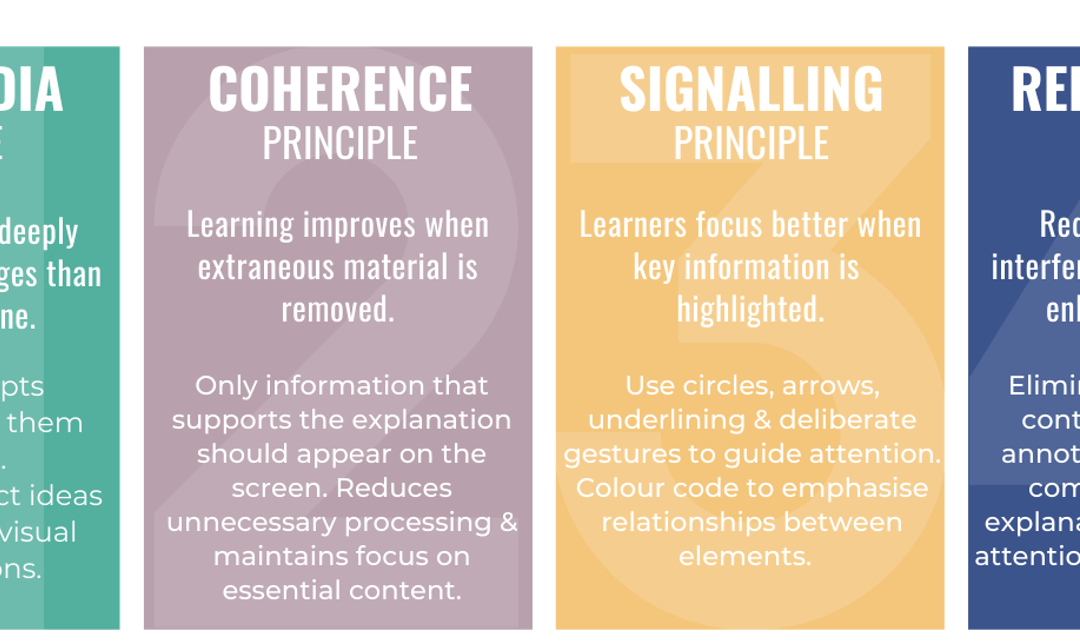
2. COHERENCE PRINCIPLE
Learning improves when extraneous material is removed.
The Lightboard naturally limits clutter. Only information that supports the explanation appears on the screen. This reduces unnecessary processing and maintains focus on essential content.
3. SIGNALLING PRINCIPLE
Learners focus better when cues are used to highlight key information.
Circles, arrows, underlines, and deliberate gestures guide attention. Colour coding can emphasise relationships between elements, supporting deeper processing.
4. REDUNDANCY PRINCIPLE
Redundant material interferes with, rather than enhances, learning.
Minimise unnecessary duplication of information. Instead of reading aloud what appears on the screen, Lightboard instructors use concise annotations and visuals to complement verbal explanation, reducing split attention and cognitive strain.
5. TEMPORAL CONTIGUITY PRINCIPLE
Learning deepens when corresponding narration and visuals occur together.
With a Lightboard explanations and illustrations unfold simultaneously, supporting immediate integration of information.
6. SPACIAL CONTIGUITY PRINCIPLE
Learning improves when related words and visuals are positioned close together.
On a Lightboard, instructors places explanations directly beside diagrams or visual elements, helping learners connect ideas without unnecessary scanning.
7. SEGMENTING PRINCIPLE
Breaking content into learner-controlled segments improves understanding.
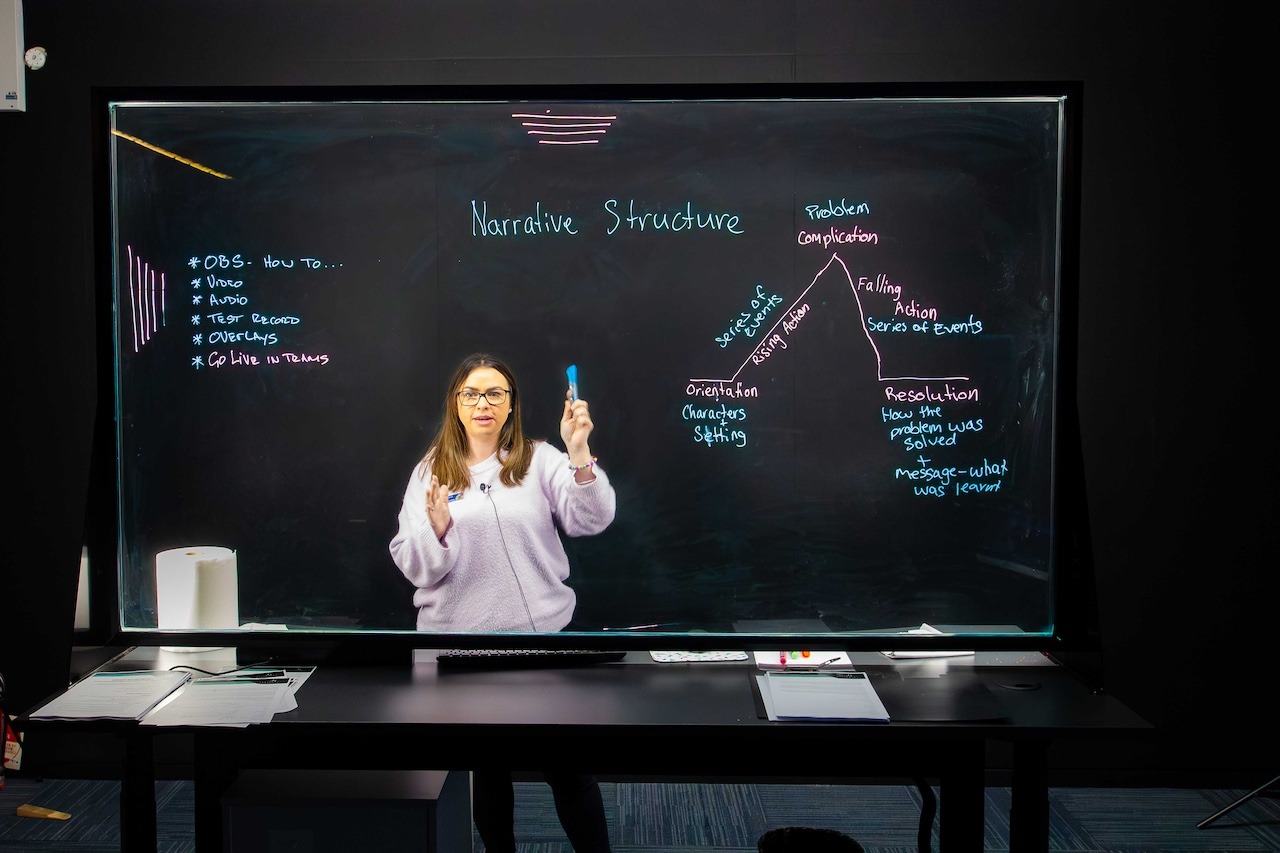
Lightboard sessions are well suited to short, focused recordings organised around single concepts. Learners can pause, revisit and progress at an appropriate pace.
8. PRE-TRAINING PRINCIPLE
Introducing key concepts in advance improves comprehension of complex material.
Educators can record brief conceptual overviews before deeper instruction, establishing cognitive anchors for later learning.
9. MODALITY PRINCIPLE
Learning is stronger when spoken explanations are paired with visuals, rather than with on-screen text.
The Lightboard encourages spoken explanation supported by diagrams and annotations, keeping cognitive processing efficient and focused.
10. PERSONALISATION PRINCIPLE
A conversational style strengthens learners’ connection with the presenter and the material.
Because instructors face the audience directly, eye contact, tone and natural delivery are preserved. The result is instruction that feels direct and human, even in asynchronous contexts.
11. EMBODIMENT PRINCIPLE
Learning improves when instructors use purposeful gestures and movement.
The Lightboard restores the physical dimension of teaching. Gestures, facial expression and spatial referencing reinforce meaning and guide attention.
12. WORKED EXAMPLE PRINCIPLE
Guided demonstrations support skill acquisition.
Lightboards are particularly effective for modelling problem solving and workflows step by step. Learners observe expert thinking in real time, before attempting tasks independently.
Why it Matters?
The synergy between Mayer’s principles and Lightboard delivery supports clarity, cognitive efficiency and durable learning. Real-time explanation integrated with purposeful multimedia design reduces unnecessary load, makes abstract ideas visible, and strengthens retention.
For learning and instructional designers, the Lightboard is not simply a presentation tool. It is a design choice. Content can be reused, explanations remain consistent and pedagogical intent scales across cohorts and delivery modes.
When grounded in cognitive science, delivery method becomes more than format. It becomes strategy.
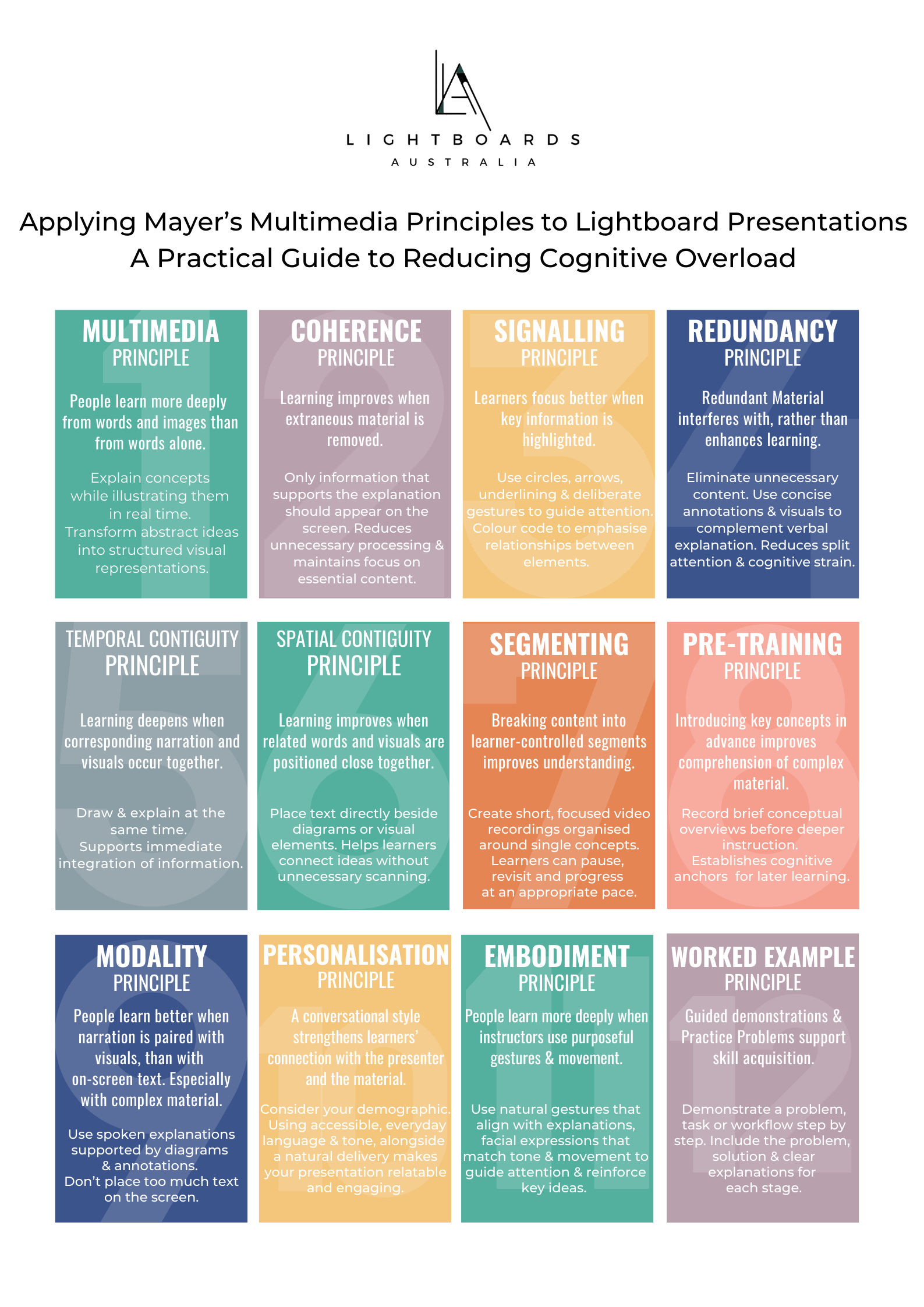
Download your copy of Mayers Multimedia Principles and support teachers in their design of Lightboard presentations:
Guide to Reducing Cognitive Overload.


Recent Comments